


7 Brew Coffee
3.9399.00 Reviews
App Specs
- Version
- 1.1.0
- Updated On
- License
- Free
- Downloads
- 100,000+
- Developer
- Seven Brew Drive Thru Coffee
- Categories
- Food & Drink
- Platform
- Android
Screenshots
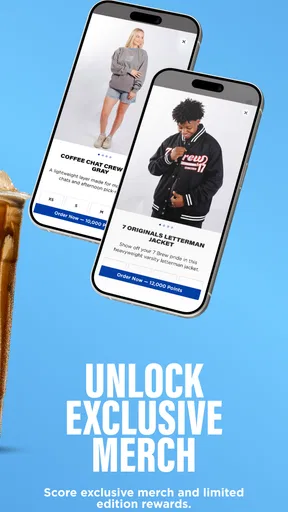
 Analysis by AppCompare
I found 7 Brew Coffee most useful when I treated it as a quick companion to a drive-thru visit rather than as a complete coffee guide. It is a free Food & Drink app from Seven Brew Drive Thru Coffee, built around ordering ahead and managing rewards. That focused purpose makes it easy to understand, but it also means the quality of the experience depends heavily on how well the app fits your usual routine, your preferred way of reading and tapping, and whether a nearby Seven Brew location is practical for you.
After spending time with it, my overall impression is positive but specific: this is a convenience tool for regular customers, not an essential app for every coffee drinker. I like the way it brings ordering and rewards into one place, especially on busy mornings. At the same time, I would not recommend installing it just for occasional visits unless the rewards side matters to you. The most important question is not whether it has a long list of functions, but whether its short path from choosing a drink to collecting a reward works comfortably for you.
How the app handles reading and navigation
The app’s central idea is easy to grasp. You open it to order from Seven Brew, use the reward side when appropriate, and return to the same general workflow on later visits. That narrow focus is helpful for people who dislike crowded apps filled with unrelated promotions, articles, delivery services, or complicated account sections. I found the experience easier to approach when I decided in advance whether I was there to place an order or check my rewards.
That distinction matters for readability. A person who already knows what they want can move through the process with less mental effort than someone browsing a broad restaurant marketplace. You are not comparing dozens of unrelated businesses or switching between grocery, delivery, and restaurant sections. The app is tied to one coffee brand, which gives it a clearer purpose than a general ordering platform.
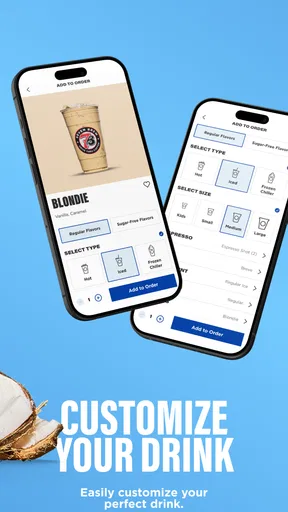
Still, a focused app is not automatically effortless. Drink customization can create a lot of choices, and the more changes I considered, the more important it became to slow down and review the order before submitting it. My practical advice is to build a familiar order gradually, then use that routine on future visits instead of making several changes while standing in a crowded morning queue. This is one of the app’s less obvious strengths: it can reduce decision-making once you know your regular order, but it does not remove the need to check details.
For readers who rely on larger text or strong visual separation, the real test is whether the interface remains comfortable at the system settings you normally use. I would approach the app with those settings already enabled and inspect the menu, order summary, buttons, and reward information before depending on it during a rushed visit. A clean layout can still become tiring if text is cramped, controls are visually similar, or important confirmation information is easy to overlook.
I also recommend reading the final order summary carefully rather than assuming that a familiar drink name means everything is correct. This is especially useful when an order includes substitutions, extra changes, or a reward redemption. A short pause at the end can prevent the frustrating situation of arriving at the window and discovering that the order does not match what you intended.
Worth Reading Before You Choose

EA SPORTS FC Mobile 26 Is a Bigger Football Game, but It Takes Time

Flipboard Shows What News Apps Must Do Beyond the Feed

Switching to Android Auto Means Rethinking Your Driving Routine

Google Calendar Makes a Crowded Week Easier to Manage

Ludo King Makes the Most of the Minutes Between Plans

Baby Panda World Brings Quick Play to Modern Phones, but Its Game Library Feels Busy
People who prefer voice control, screen magnification, or other device-level assistance should test the complete path instead of judging the opening screen alone. The important moments are selecting a location, choosing a drink, adjusting it, reviewing the order, and handling rewards. If one of those stages presents labels that are difficult to identify or controls that are hard to reach, the app may be less practical even if the first screen feels simple.
Why the limited scope can help
I see the single-brand approach as an accessibility advantage in some situations. There are fewer competing menus, fewer unrelated notifications to interpret, and less searching than in a general food-ordering app. Someone who visits Seven Brew regularly may learn the structure quickly and rely on familiar visual patterns. That kind of repetition can be valuable for users who find constantly changing interfaces tiring.
The trade-off is that the app does not solve every part of the visit. It helps with the digital order, but the physical experience still includes reaching a location, communicating at the drive-thru, waiting for the drink, and collecting it. If you need the app to replace those steps entirely, it will not be the right kind of tool. I think of it as reducing one layer of friction, not removing all of it.
Motor, sensory, and situational considerations
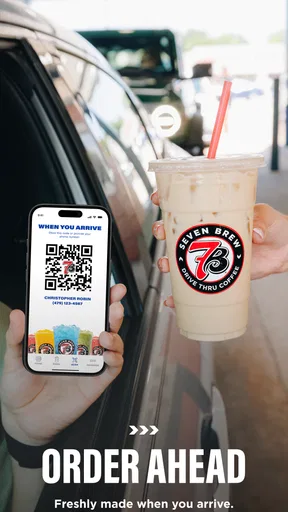
Ordering ahead can be useful for people who find busy counter interactions difficult. Instead of explaining every choice aloud while cars or customers are waiting, you can prepare the order on the phone and use the drive-thru as the final collection point. For me, this is one of the strongest everyday reasons to use it. A person dealing with speech fatigue, social anxiety, background noise, or difficulty processing rapid verbal questions may appreciate having more time to make decisions privately.
That benefit has limits. The app still requires a sequence of taps, scrolling, and confirmation actions. Users with tremors, limited dexterity, joint pain, or difficulty making precise selections may find a highly customized order more demanding than a simple one. My workaround would be to keep the order as short as possible, avoid unnecessary changes, and review each stage before moving on. If a trusted person helps with phone tasks, the app’s focused purpose makes it relatively easy to explain what needs to be selected.
For people who are sensitive to sensory overload, ordering before arriving can also make the visit calmer. You can make choices away from traffic noise, bright surroundings, or a line of waiting customers. This is a meaningful difference from ordering face to face when the environment is already demanding. I would particularly favor this workflow for an early commute, when concentration is low and the drive-thru feels hurried.
There is an important safety point here: I would not try to browse or edit an order while driving. The app is most useful before leaving home or after parking safely. That may sound obvious, but the whole promise of speed can tempt people to complete the process at the wrong time. Preparing the order in advance preserves the accessibility benefit without creating a new distraction.
A realistic example is a parent leaving home with a sleeping child in the back seat. Instead of stopping to negotiate a drink order while managing the car and the child, the parent can make the selection before departure, use the rewards balance if appropriate, and collect the drink with less conversation at the window. The app does not guarantee a fast handoff, but it can make the decision stage more predictable.
Another useful case is a worker with a fixed morning break. If the person already knows the preferred drink and visits the same area regularly, ordering ahead may make the break easier to plan. The value is not only speed; it is the ability to prepare the order when attention is available, rather than spending the entire break reading a menu and making choices under pressure.
Rewards and cognitive load
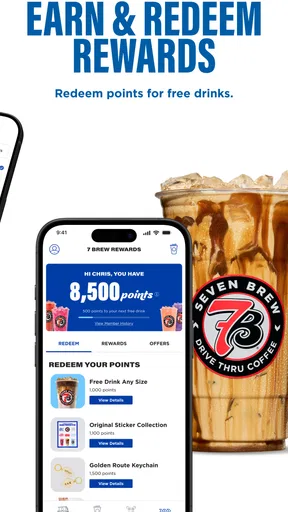
The rewards function adds a reason to return, but it also introduces another thing to monitor. I would not describe it as complicated, yet reward balances and redemption choices can become confusing if you are trying to order quickly. Before confirming, check whether you are earning on the visit or using an available reward. That small habit helps avoid disappointment and makes the reward system feel more predictable.
This is also where the app differs from simply ordering at the window. A face-to-face purchase may feel faster for someone who does not want another account or digital step, while the app is more attractive to someone who values a record of rewards and prefers planning. Neither approach is universally better. The right choice depends on whether remembering and using rewards is worth the extra interaction on your phone.
People with memory difficulties may benefit from the app’s repeatable routine, but only if they keep their process consistent. I would suggest choosing a standard time to check rewards and avoiding last-second experimentation. The app can support a habit; it cannot decide for you whether a reward should be saved or redeemed, and that decision may be easy to miss during a rushed order.
Where the experience may still create barriers
The clearest limitation is that the app is useful only within the Seven Brew ecosystem. A general delivery or restaurant app may be better for someone who wants to compare nearby coffee shops, arrange delivery, or combine several errands in one order. This app is a poor fit if your main goal is broad choice. Its strength is commitment to one drive-thru coffee brand, and that same focus narrows its usefulness.
It may also be the wrong choice for people who rarely visit Seven Brew. Because the app centers on ordering ahead and rewards, occasional customers may spend more time installing, opening, and learning it than they save during a visit. If your usual coffee stop changes from day to day, a general option or an in-person order could be simpler.
Location selection deserves careful attention. Ordering ahead is helpful only when the chosen store matches where you actually plan to go. A rushed user, someone with low vision, or a person navigating an unfamiliar area should take extra time to confirm the intended location before submitting the order. A convenient digital workflow does not compensate for sending the order to the wrong place.
There is also a physical-access issue that no ordering screen can solve. If the available pickup arrangement requires standing outside, reaching a service window, handling a phone while moving, or communicating in a noisy area, users with mobility, hearing, or sensory needs may still need another plan. The app can reduce the amount of ordering conversation, but it cannot promise that every part of collection will be equally comfortable.
I would be cautious about relying on it when connectivity is unreliable or when the phone battery is nearly empty. An order-ahead habit works best when the phone is available from the moment of selection through pickup. Someone who regularly works in areas with poor reception may prefer ordering in person rather than depending on a digital confirmation at the end of a busy trip.
Device compatibility is reasonably broad for an app of this kind. The listed minimum is Android 8.0, so people using older Android phones should check their device before planning around it. The current version is 1.0.2557, and keeping the app updated is sensible when ordering and rewards are central to the experience. I would also leave enough time to sign in or recover access before a morning rush rather than discovering a problem at the drive-thru.
The app is free, which removes the financial barrier to trying it. That does not mean every user will find the digital routine worthwhile. The real cost can be attention: choosing options, checking the order, remembering rewards, and keeping the application available. For some people, those steps are a welcome structure. For others, they are more work than saying the order aloud.
Who should use it and who should skip it
I would recommend it to regular Seven Brew customers who often know their order before arriving, want to use rewards, or find noisy ordering environments stressful. It is particularly well suited to people who can prepare the order safely before travel and who benefit from having more time to read and make choices.
I would skip it if you are looking for a universal coffee-ordering tool, need delivery comparisons, or visit the brand only once in a while. I would also hesitate if phone-based navigation is physically tiring or if you prefer not to manage rewards digitally. In those cases, ordering directly may be less frustrating, even if it means spending a little longer at the window.
The app is intended for Everyone, which makes its audience broad, but an age label alone does not tell you whether the interaction will suit a particular ability. I would judge it by the complete task: can you read the choices, make accurate selections, confirm the location, and collect the order in a way that feels safe and comfortable? That practical test is more useful than assuming that a simple coffee app will work identically for everyone.
My inclusive verdict after using it
With an average rating of 3.9 from over 500 ratings and more than 100K installs, the app has attracted a meaningful group of users, though those figures do not tell me whether it will fit your individual needs. My own view is that its value comes from a very specific combination: one coffee brand, advance ordering, and rewards in the same mobile experience. When those three things match your routine, the app can make a busy visit feel more controlled.
I especially like its potential to move decision-making away from noisy or socially demanding moments. Preparing a drink before leaving, checking the order while safely parked, and using the same routine each time are small changes, but they can make the process more manageable for people with different sensory, communication, or attention needs. Those benefits are practical rather than flashy, and they are the reason I would suggest giving it a fair trial.
My recommendation comes with a clear condition: test the whole journey during a low-pressure visit. Check how comfortably you can read the menu, adjust a drink, review the order, handle rewards, and collect it at the chosen location. If that sequence feels natural, the free price makes experimenting easy. If the phone interaction or pickup creates more effort than it removes, the ordinary ordering route is probably better.
Seven Brew Coffee is not a replacement for every alternative in the Food & Drink category, and it does not need to be. It is a focused tool for people who already choose Seven Brew and want a more prepared, repeatable visit. My final verdict is that it is worth using for regular customers who value control and rewards, but optional for everyone else.
Pros
- Quick drive-thru service is convenient for busy mornings.
- Large menu includes coffee
- energy drinks
- teas
- and smoothies.
- Many drinks can be customized with flavors
- milk
- and sweetness.
- Friendly staff create a welcoming and upbeat experience.
- Frequent seasonal drinks add variety for returning customers.
Cons
- Limited seating makes it less suitable for working or relaxing.
- Drink customizations can make the ordering process feel overwhelming.
- Popular locations may develop long lines during peak hours.
- Prices can increase noticeably with extra flavors and add-ons.
- Nutritional information may be difficult to compare across all drinks.
FAQs for 7 Brew Coffee
What is 7 Brew Coffee, and what can I order through the app?
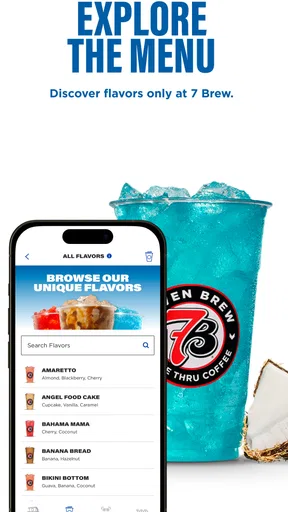
7 Brew Coffee is a drive-thru beverage brand known for coffee, energy drinks, teas, smoothies, shakes, and other customizable drinks. Depending on your location and the app version available, the app may help you explore the menu, find a nearby stand, view promotions, and access ordering or loyalty features. Availability can vary by store, so check your local location before relying on mobile ordering.
Does the 7 Brew Coffee app support mobile ordering and pickup?
Mobile ordering availability may depend on your country, location, and the specific 7 Brew Coffee app or service currently offered. Some users may be able to browse drinks or interact with loyalty features, while ordering and pickup options can differ between stands. Before downloading, confirm that your nearest location appears in the app and review whether it supports the ordering method you prefer.
Can I customize drinks in 7 Brew Coffee?
Yes, customization is one of the main attractions of 7 Brew Coffee. Customers can generally adjust flavors, sweetness, milk choices, caffeine options, ice, and other drink details, depending on the beverage. However, not every modification is available for every item, and some changes may affect the price or nutritional information. Review your selections carefully before submitting an order.
Does 7 Brew Coffee have a rewards or loyalty program?
7 Brew Coffee may offer loyalty benefits, promotions, or app-based rewards depending on the market and the current version of its digital services. Features can include tracking visits, receiving special offers, or earning rewards through eligible purchases. Program rules, expiration dates, and participating locations may change, so read the terms in the app and make sure your account is connected correctly.
Is the 7 Brew Coffee app free, and what permissions does it require?
Downloading the 7 Brew Coffee app is generally free, although purchases made through it are charged separately. The app may request permissions such as location access to show nearby stands, notifications for promotions or order updates, and account information for loyalty features. You can usually manage these permissions in your device settings, but limiting them may reduce some app functionality.


